Governance
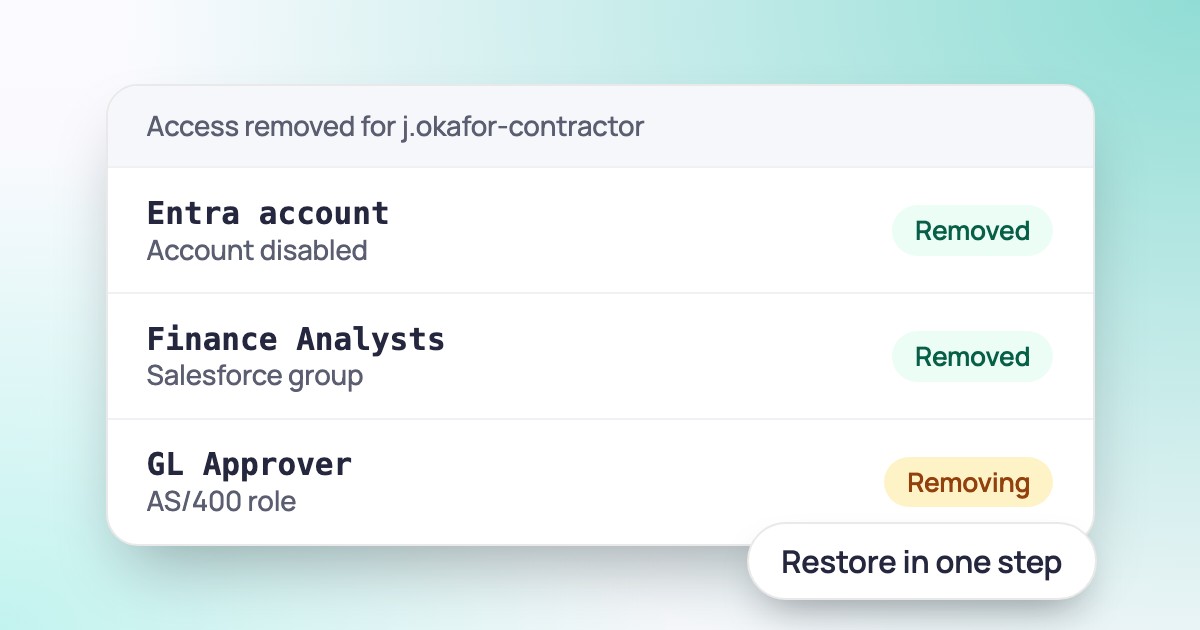
Cut And Restore Access From Explore
Deprovision an account in one step, and restore exactly the access it had.
Security
Open any account in Explore and see whether it holds more access than it needs or behaves in ways nobody expected, explained in plain language.
Deciding whether an account holds too much access usually means reading group names, role IDs and sign-in logs, then making a judgment call. Most teams never get through the list.
The Analysis tab on each account does that reading for you. It scores the account for excess privilege and unusual behavior, and says in plain words what it found and which roles are behind it. When a finding is wrong, you reject it, and future results take that into account.
The Analysis tab sits on the account details in Explore.
Each check gives a plain-language verdict and names the roles behind the access.
Your answer tunes the results you see next time.
Account Analysis is part of Explore in Hydden. Open any account and choose the Analysis tab.
Need configuration detail? Technical documentation is available to customers after sign-in.
Governance
Deprovision an account in one step, and restore exactly the access it had.
Search and reporting
Ask what a group grants, who can reach a vault and which accounts look over-privileged.
NewAI agents
See every AI agent, what it has done, and how much any identity can reach.
Request a trial and open Account Analysis on your own accounts.